product sku
Z.254432.16988286588163733
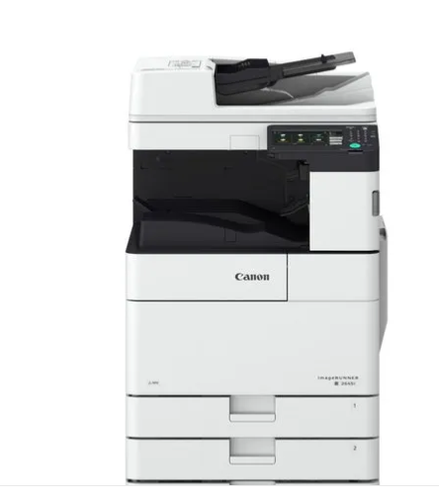
Canon C3326i copier machine specifications:
Canon multifunction color copier (printing and imaging, copying, scanning, sending fax)
Paper Size in Canon copier machine:
A3 | A4 Other various paper sizes include A5, B5
Print and copy speed in Canon copier machine:
Up to 26 ppm (A4) Up to 15 ppm (A3)
Print resolution in Canon copier machine: Paper Capacity in Canon copier machine:
Standard paper tray: 550 sheets Multi-purpose paper tray: 100 sheets Maximum paper capacity: 2,300 sheets with additional trays Output capacity: 250 sheets
Memory in Canon copier machine:
3 GB (RAM) 250 GB (HDD) Processor: 1.75 GHz
The screen in Canon copier machine:
7-inch LCD color touchscreen
Photo scan in Canon copier machine:
Scan resolution: up to 600 x 600 dpi Supported file formats: JPEG, TIFF, PDF, XPS
Copying in Canon copier machine:
Copy speed: Up to 26 CPM (A4) Zoom ratio: 25% to 400% in 1% increments
Communication technology in Canon copier machine:
USB 2.0 interface Ethernet 1000Base-T/100Base-TX/10Base-T Wi-Fi support is optional
Additional features in Canon copier machine C3326i:
Automatic duplex printing Advanced security features to protect data and documents Support cloud printing services Automatic document feeder (ADF) with a capacity of up to 100 sheets OCR to convert documents into editable text
Other advantages in Canon copier machine C3326i :
Energy-saving operation: Auto sleep mode for energy saving and lower power consumption. Maintenance: Easy maintenance and changing consumables. Software: Compatible with a variety of document management and printing software.
Common FAQs when using a Canon C3326i copier machine: How do I install the drivers for my Canon C3326i copier machine?
Download the compatible drivers from the official Canon website.
Connect the printer to your computer via USB or Wi-Fi, depending on the printer's capabilities.
Install the drivers and follow the on-screen instructions to set up the printer.
Test the printer to ensure it's installed correctly and ready to use.
. نعم، تدعم ماكينة كانون C3326i استخدام أوراق بوزن يصل إلى 300 جرام (gsm) عبر الدرج الجانبي (Multi-Purpose Tray)، مما يجعلها مناسبة لطباعة الكروت، الأغلفة، والمواد الدعائية ذات الجودة العالية.
. يرجى ملاحظة أن استخدام الأوزان العالية يُفضل أن يكون من خلال الدرج الجانبي لضمان أفضل أداء وجودة طباعة.
عبدالله احمد
الوق لو 300 جم بتسحبو ؟؟؟




There is no reviews for this product